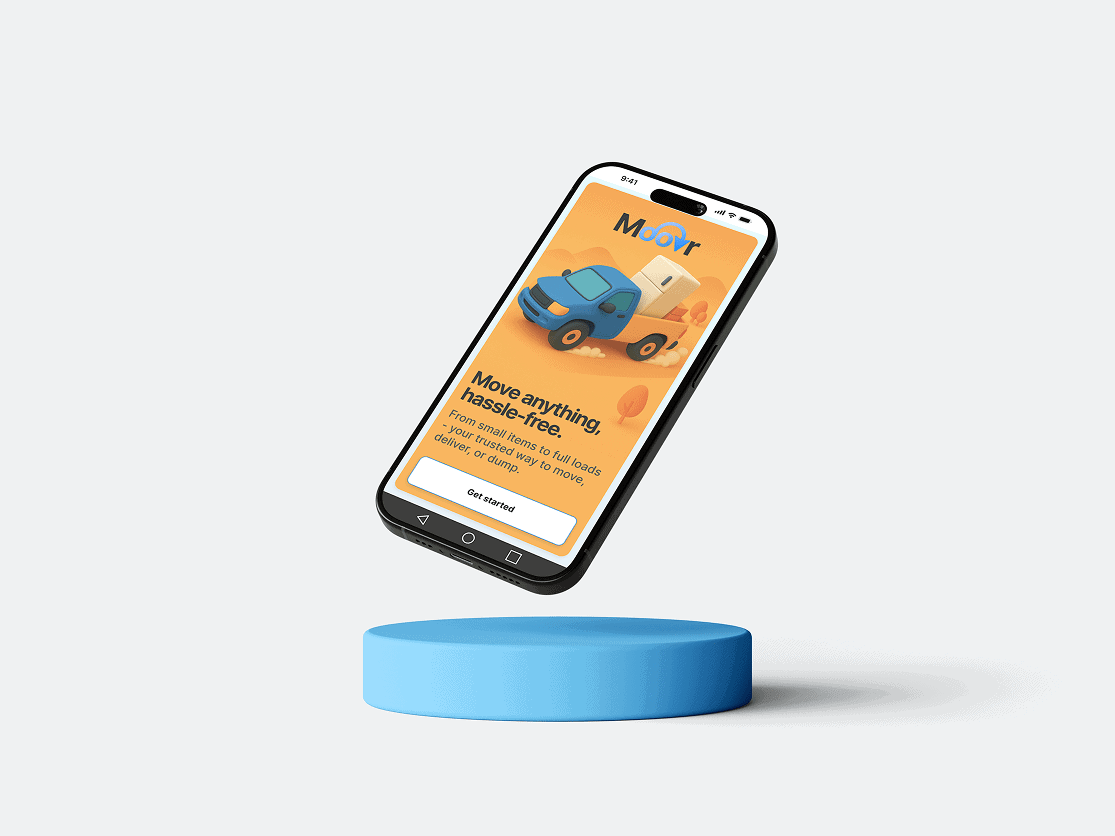
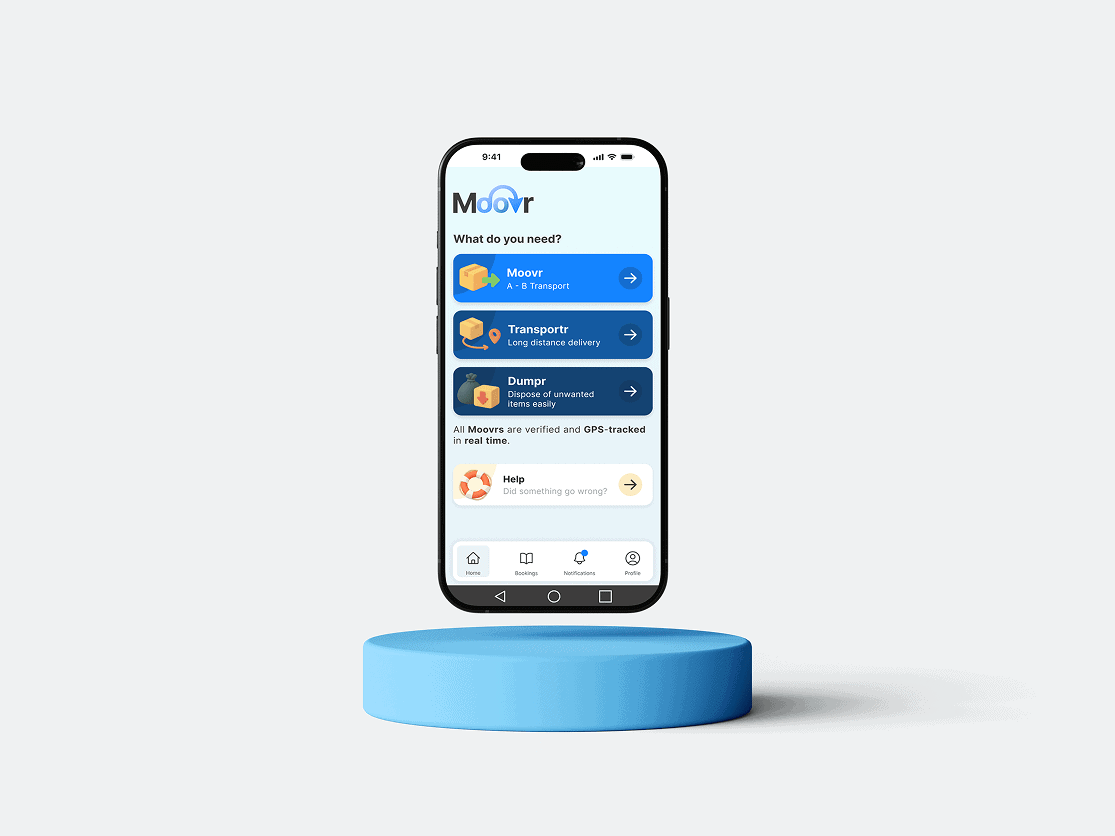
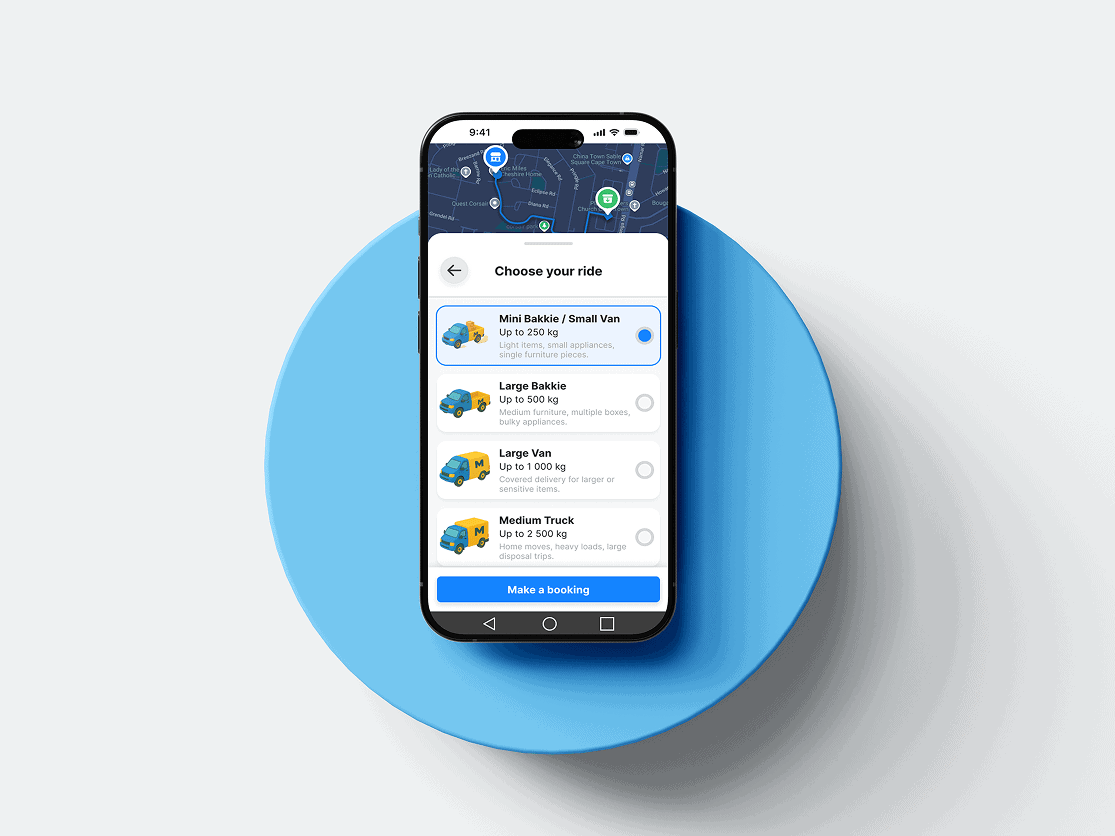
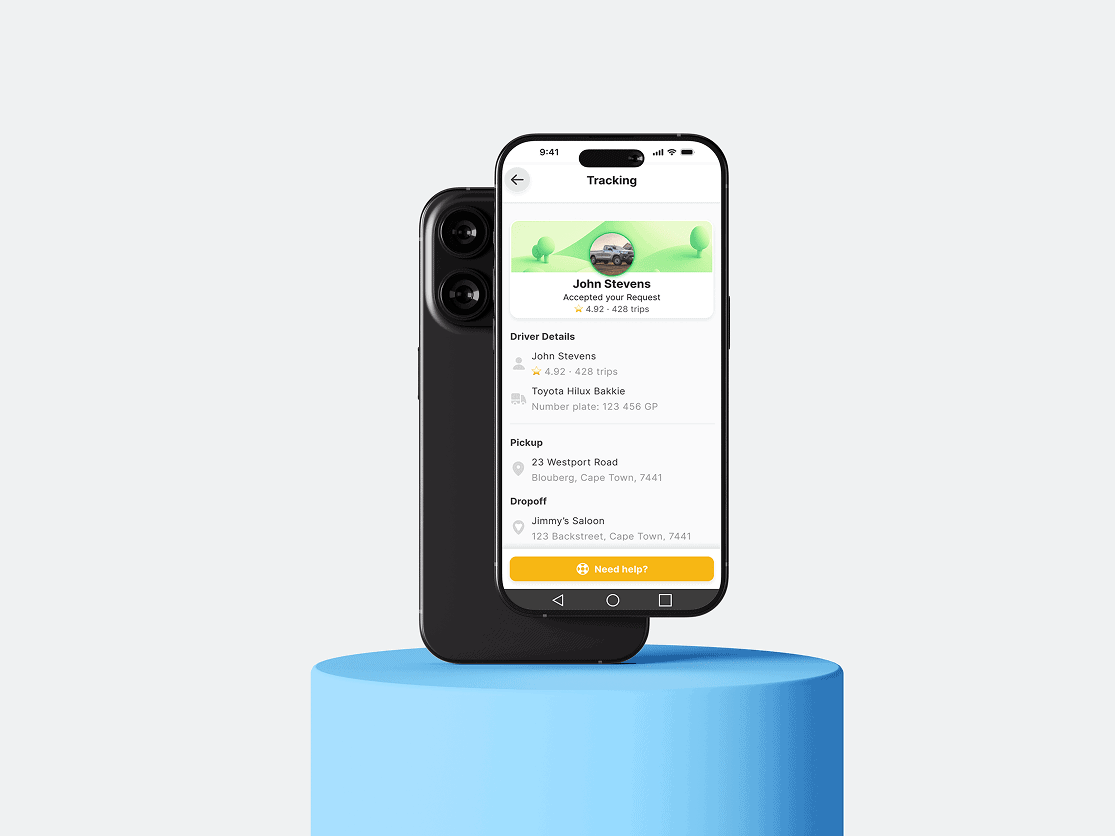
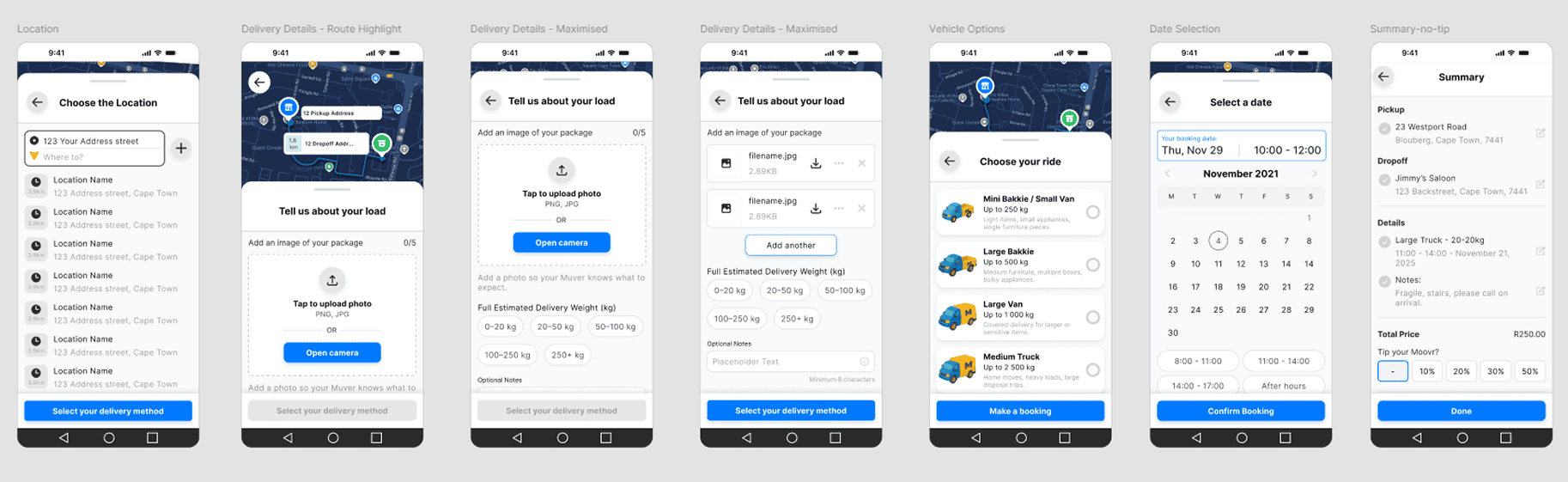
Moovr is an end-to-end pickup and delivery platform designed for everyday South Africans who need anything moved — from last-minute furniture pickups to planned long-distance hauls. This case study focuses exclusively on the Client-facing mobile app, which I designed from the ground up in Figma. The project is still in development; the Driver App and Admin Dashboard are being built next.
My role covered the full UX/UI pipeline: research, flows, low-fi wireframes, design system creation, high-fidelity UI, prototyping, and user-testing.
Brand Principles
I built Moovr’s brand around trust, simplicity, and action — the three things users expect when ordering transport:
Trust → Clean shapes, predictable UI patterns, and subtle brand cues across the experience.
Simplicity → Frictionless flows with minimal cognitive load. Every step has one clear decision.
Action → Bold CTAs, functional animations, and a layout that always pushes the user forward.
The identity blends reliability with a friendly, modern tone — avoiding corporate stiffness while still feeling like a real logistics platform.
Research
1. Competitor Analysis
Uber, Bolt, uShip, local courier apps
Identified gaps: unclear pricing, too many steps, messy tracking interfaces, no transparent driver handover moments
2. Behaviour & Expectations
The UX needed to feel as familiar as Uber, but more transparent than typical courier apps.
This research informed the core UX principle: “Show everything. Hide nothing.”
Personas
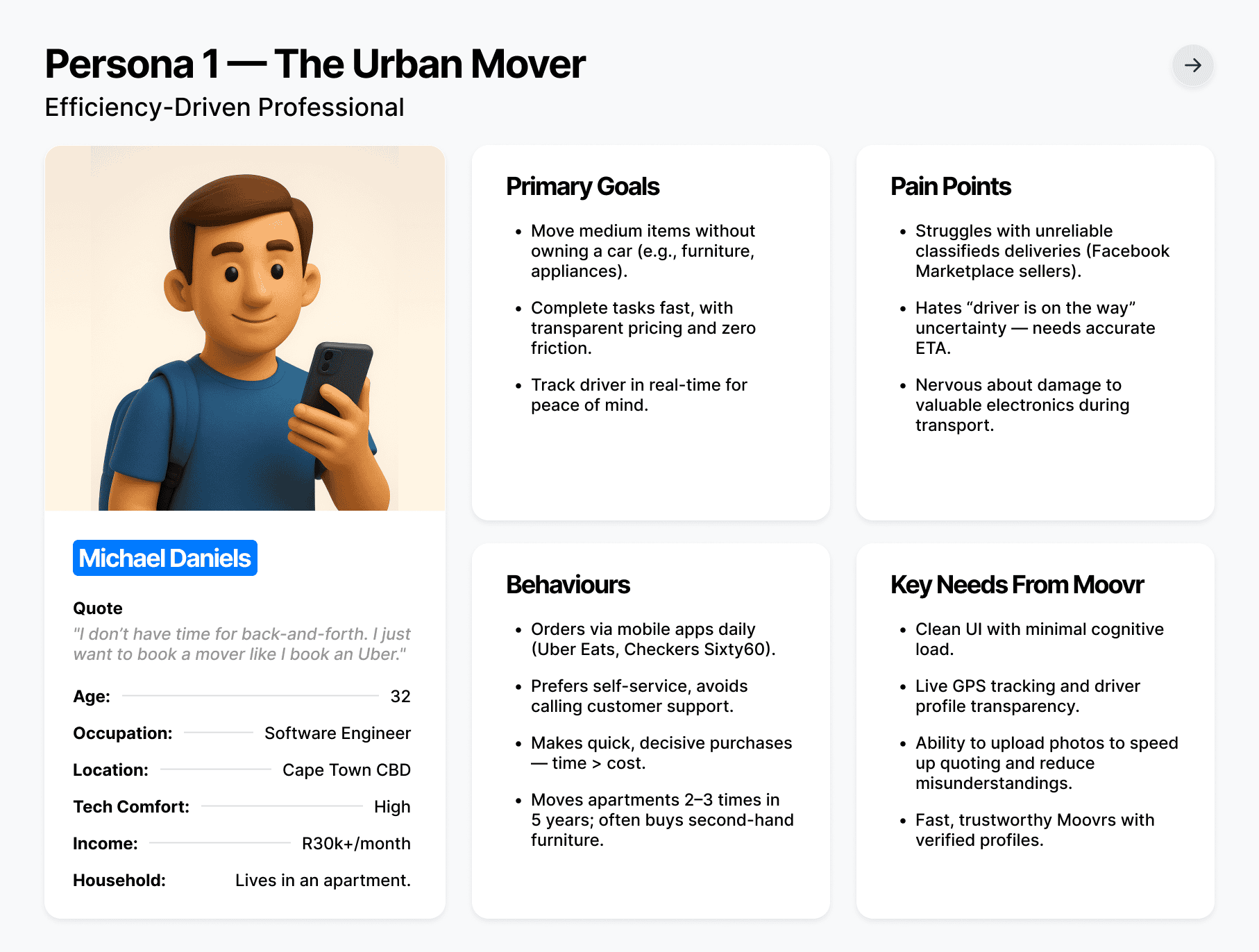
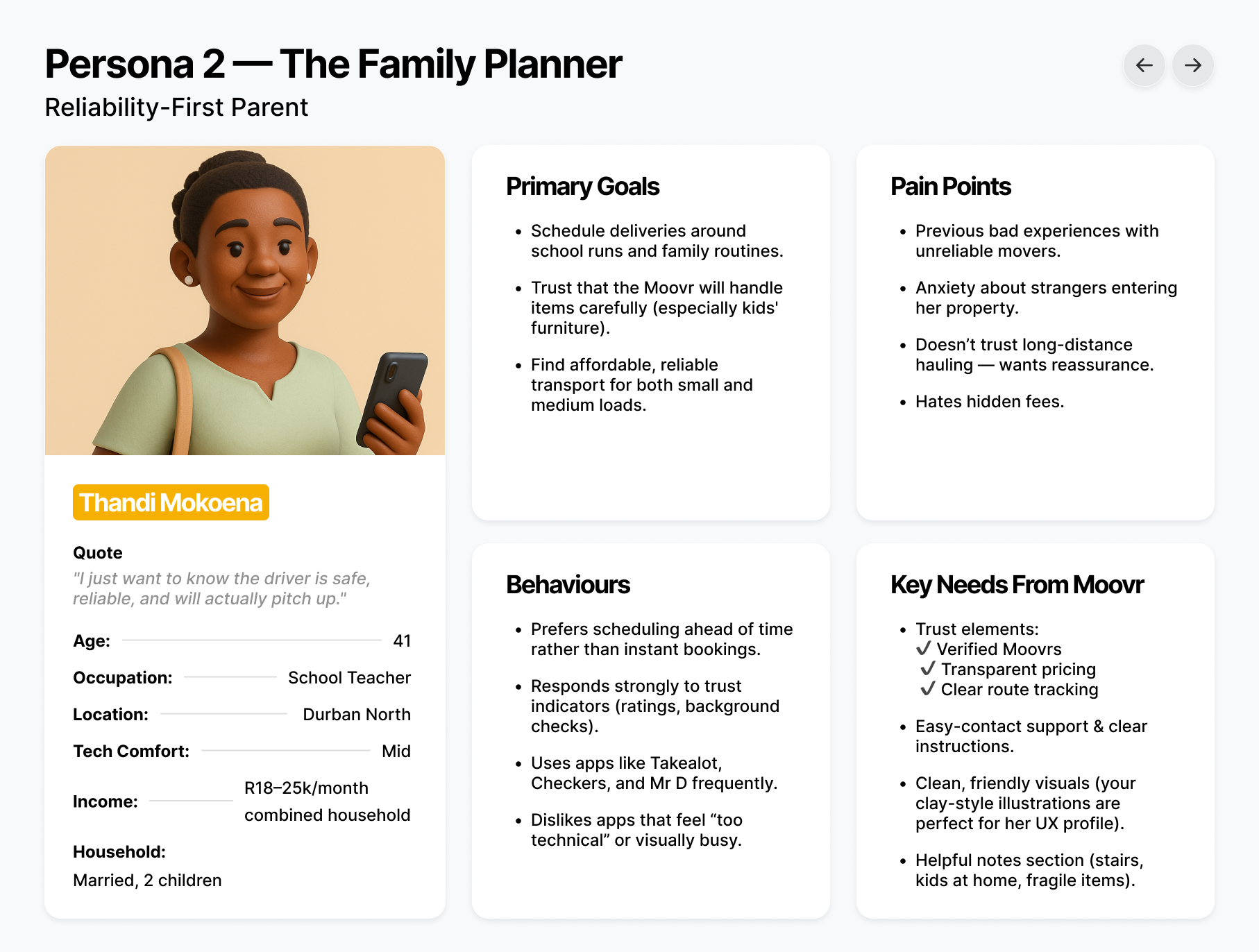
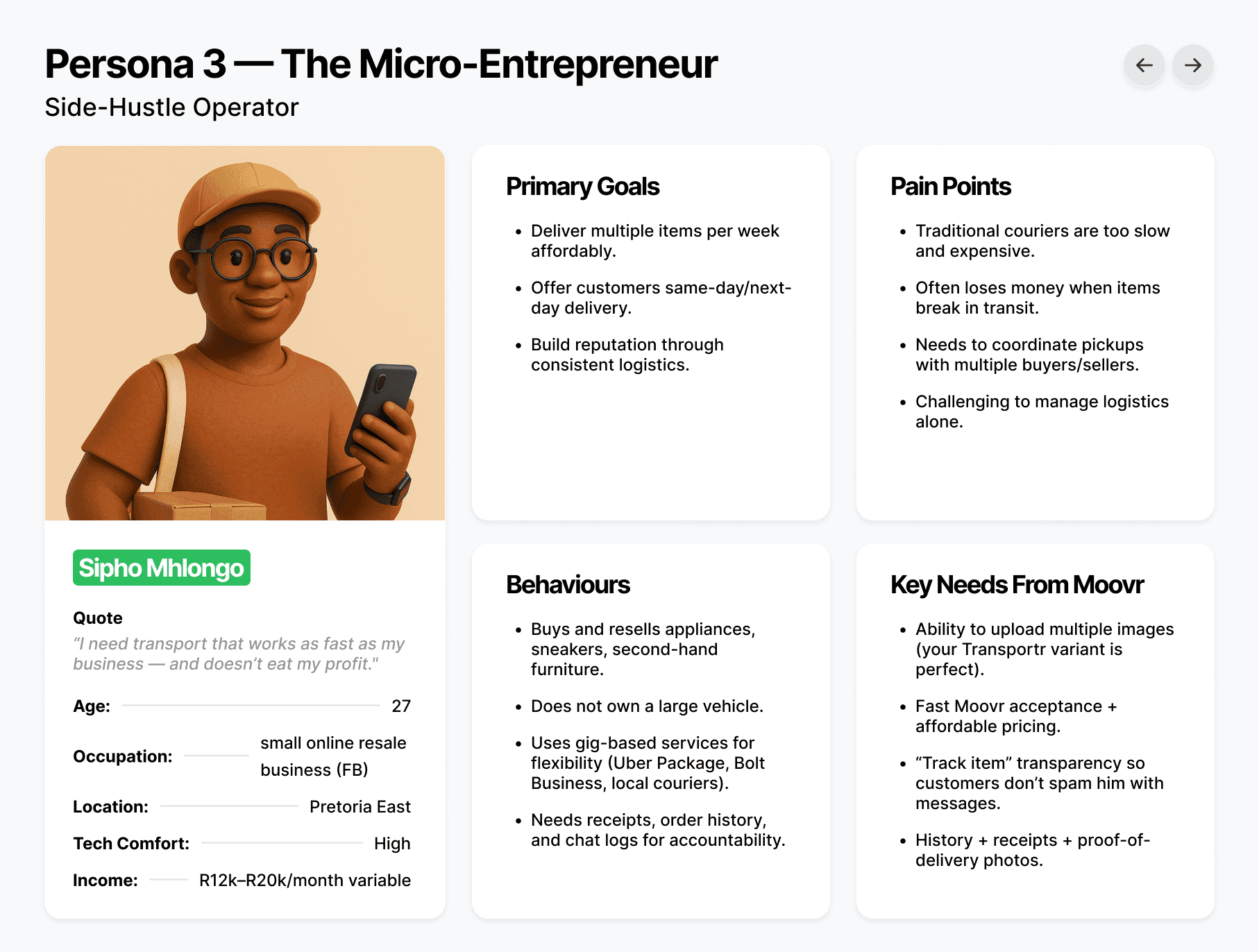
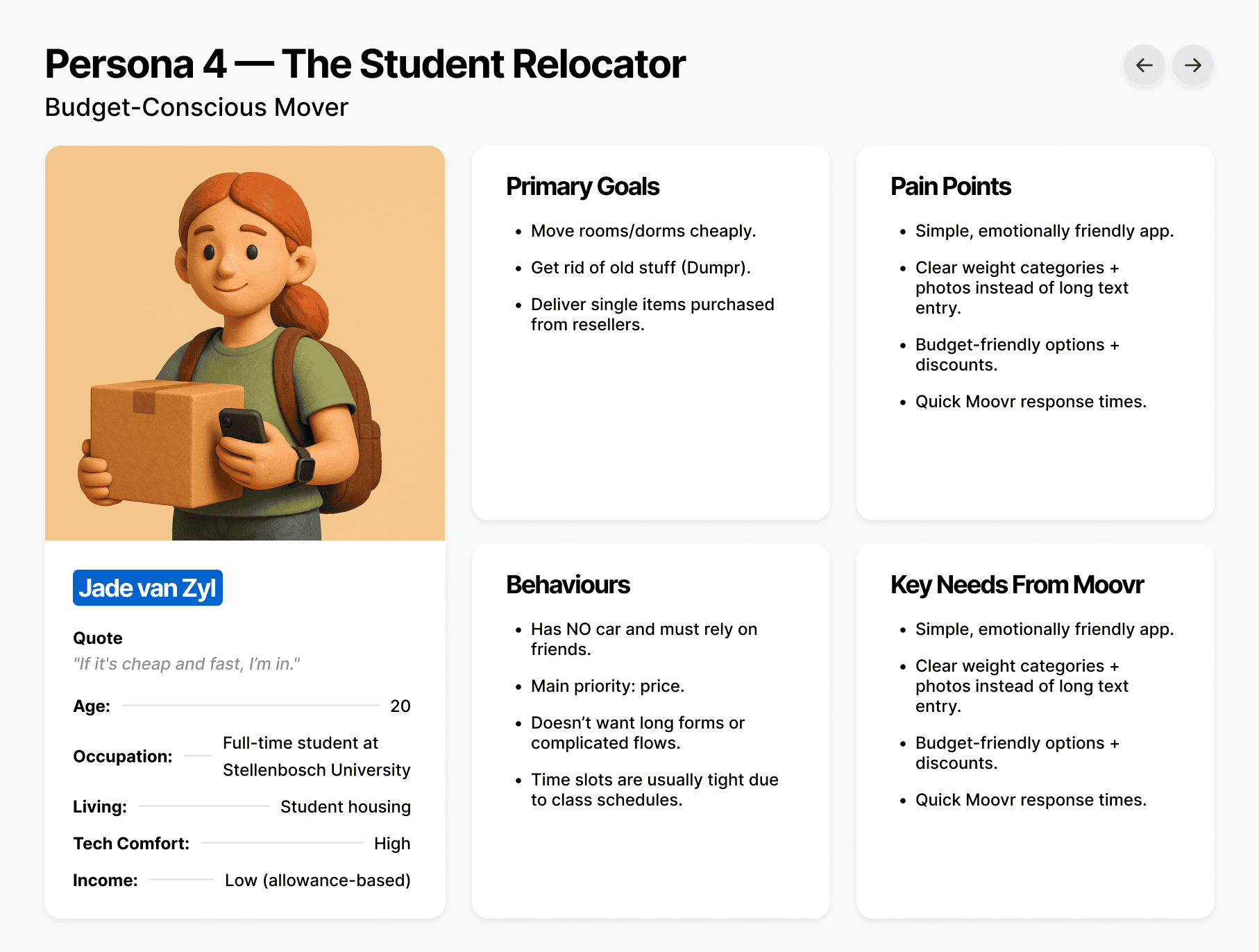
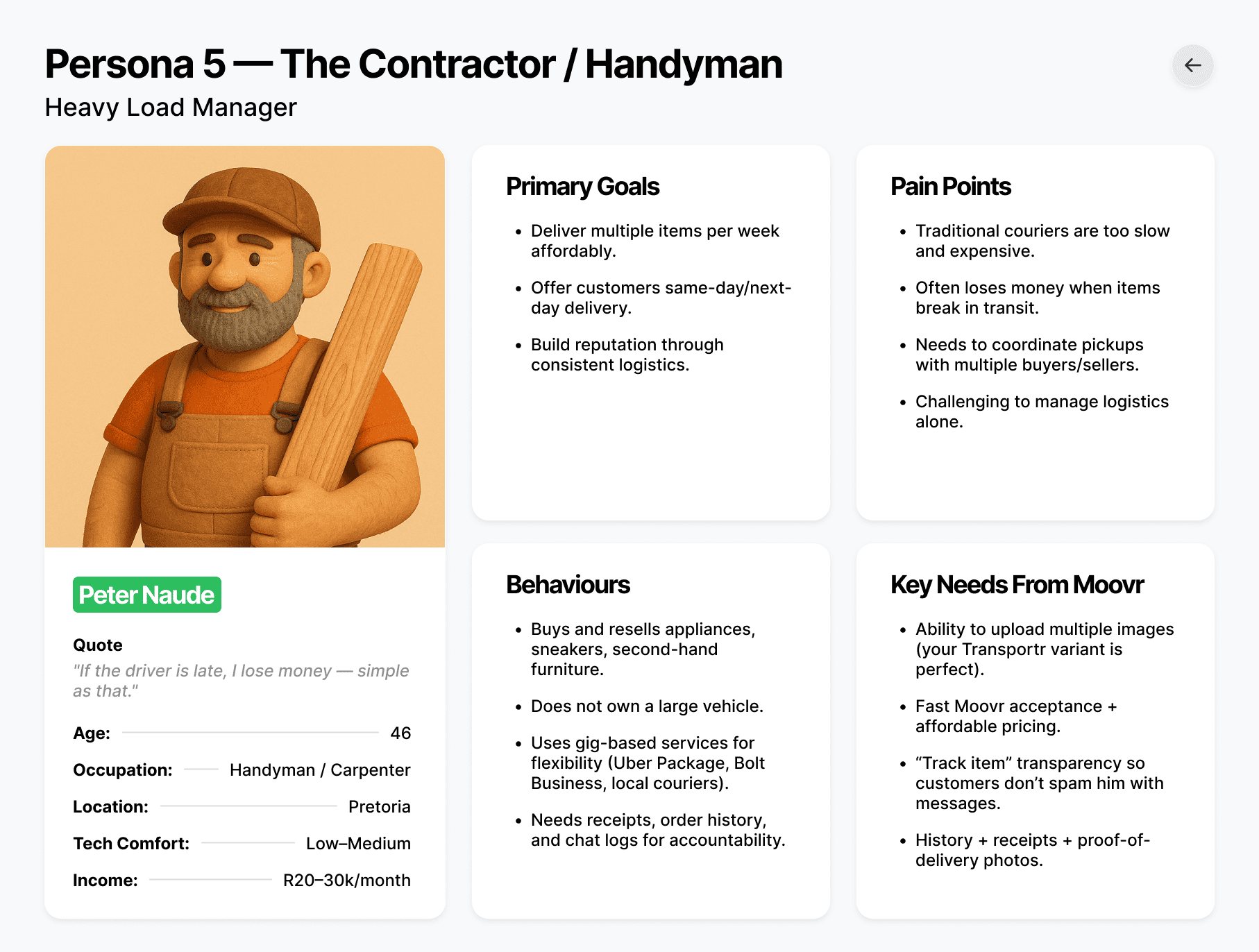
To ground the experience in real South African users, I created a set of detailed personas that represent Moovr’s most common customer segments — from students relocating on a budget, to small business owners moving stock, to families booking last-minute furniture pickups. These personas helped me validate feature priorities, shape tone and messaging, and design flows that matched real behavioural needs. Throughout the project, personas remained a reference point for decisions around booking simplicity, pricing clarity, and trust-building UI patterns, ensuring the app feels intuitive for every type of Moovr customer.
Colours
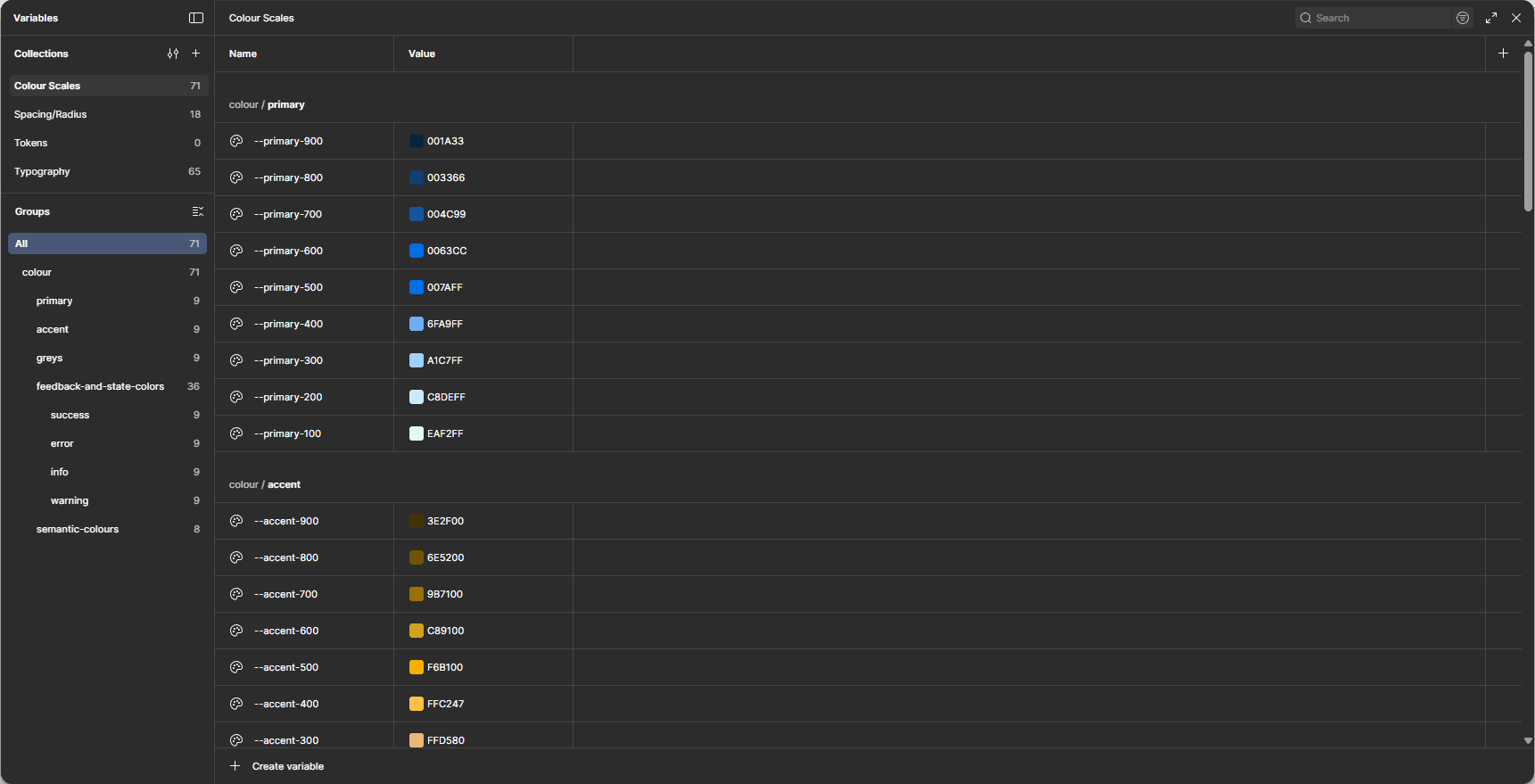
Moovr’s palette is intentionally simple:
Primary Blue (#0288D1) — trustworthy, modern, calming
Success Green (#2DBE60) — confirmations, safe states
Warning Yellow (#F6B100) — location awareness, caution states
Error Red (#E53935) — alerts and critical messaging
Neutrals — greys scaled for clarity, accessibility and hierarchy
The system supports light mode first, with variables ready for future dark mode expansion.
Project Planning
I approached the project like a real product team:
Templates → Standardized screens with consistent spacing and layout
Screens → Full app structure built with reusable components
This allowed me to test the architecture quickly without visual noise.
Design System
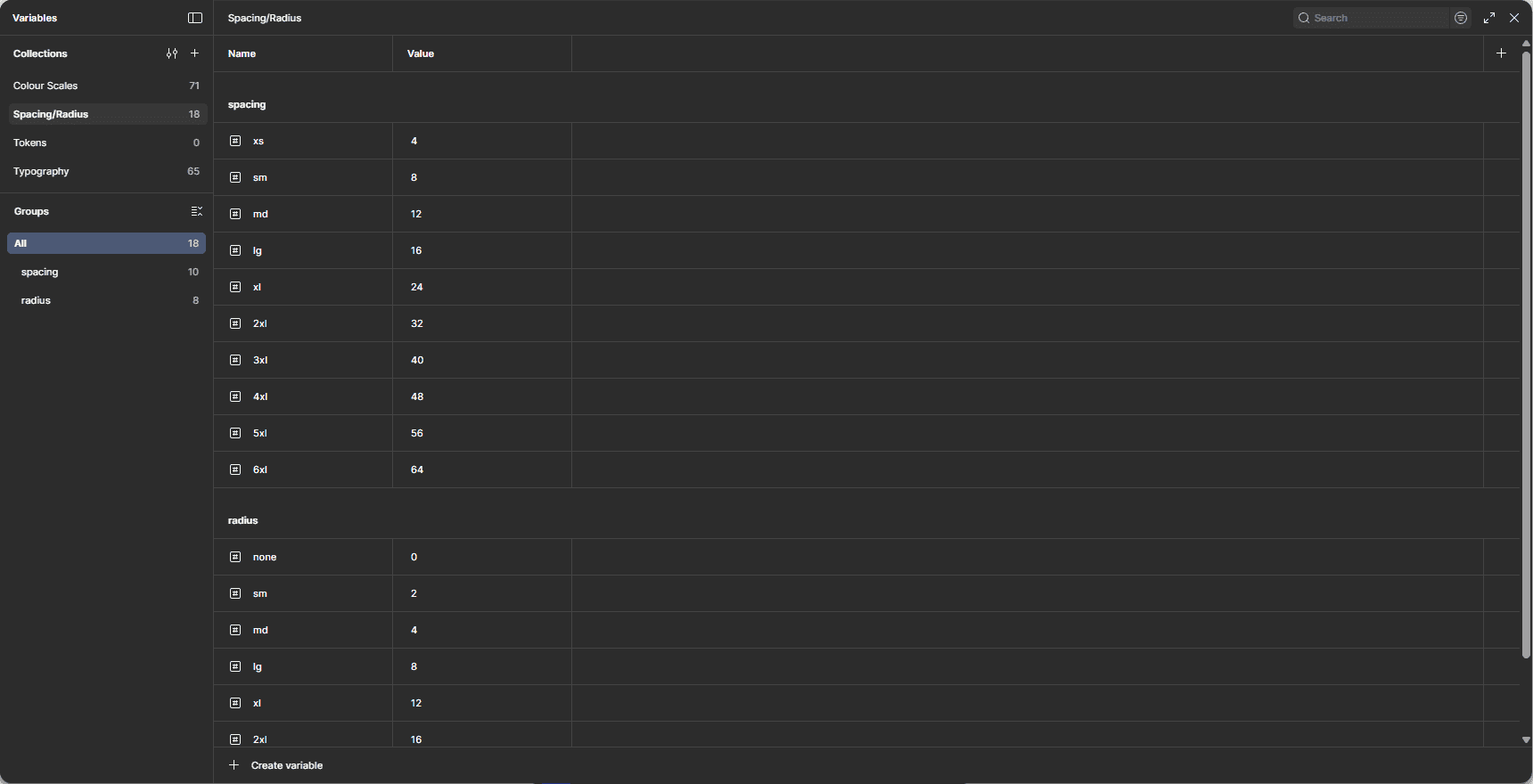
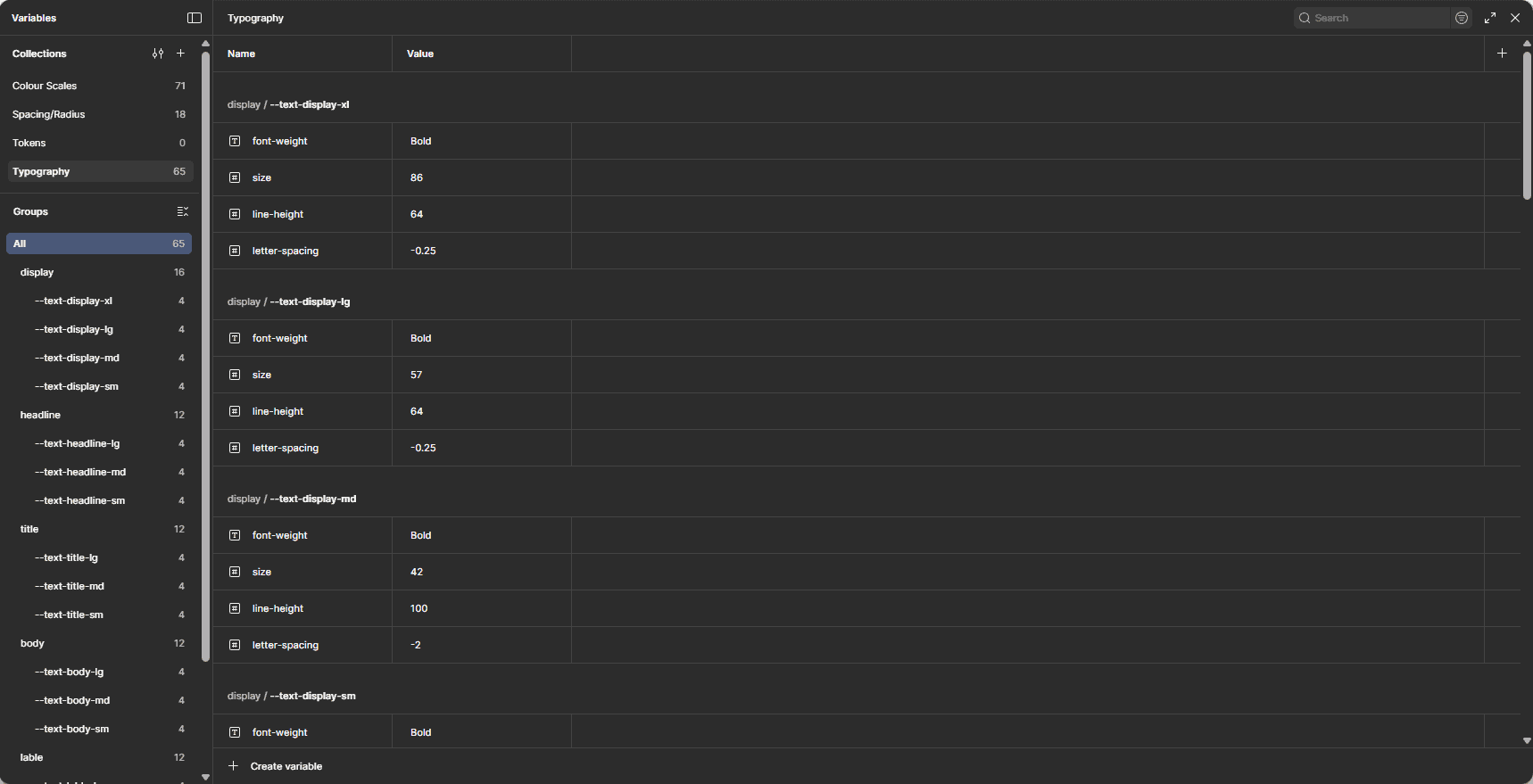
Moovr has a growing, full-scale Design System built in Figma Variables:
Tokens
Colour roles (Semantic + Base)
Spacing scale
Typography scale
Radius & border rules
Collections
Component States → Default, Hover, Active, Disabled, Success, Error
Light mode variables (Dark mode coming after MVP)
The system is designed to be handed off cleanly to FlutterFlow’s variable architecture.
Components
Every UI element in the app is fully componentised:
Buttons & FABs
Inputs & form fields
Cards (vehicle card, load summary card, tracking status card)
Stepper & progress components
Bottom sheets
Map overlays
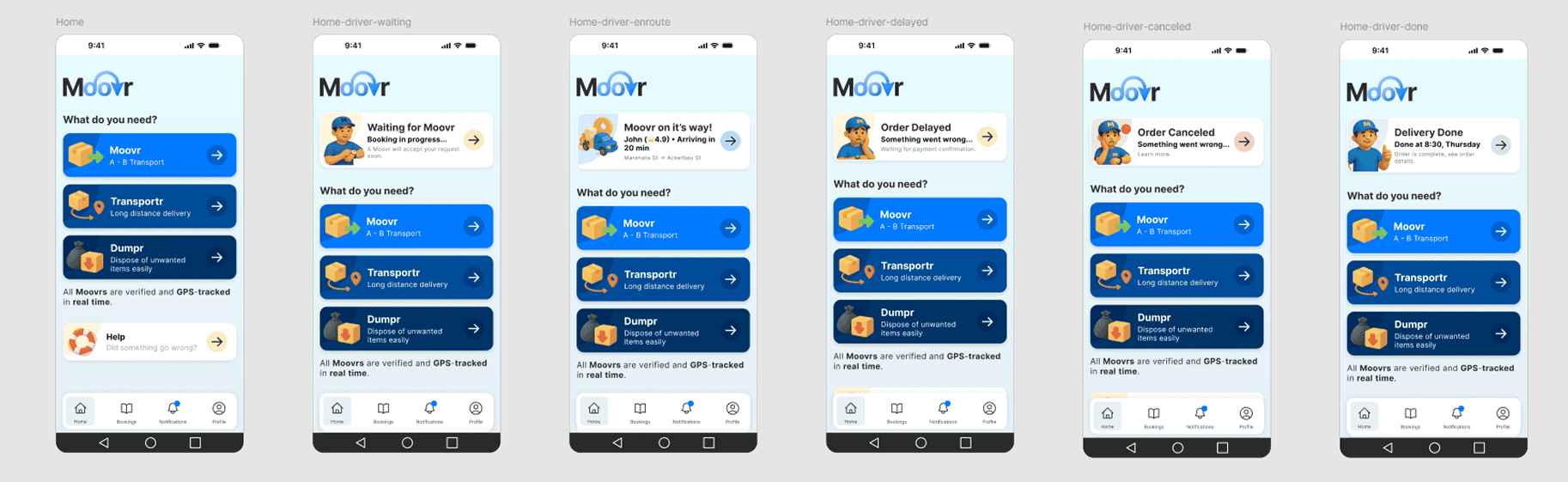
Status icons (Waiting for Moover, En-route, Almost There, Completed)
Navigation patterns
Notification banners
Components are optimised for speed: minimum overrides, maximum reusability.
High-Fidelity Design
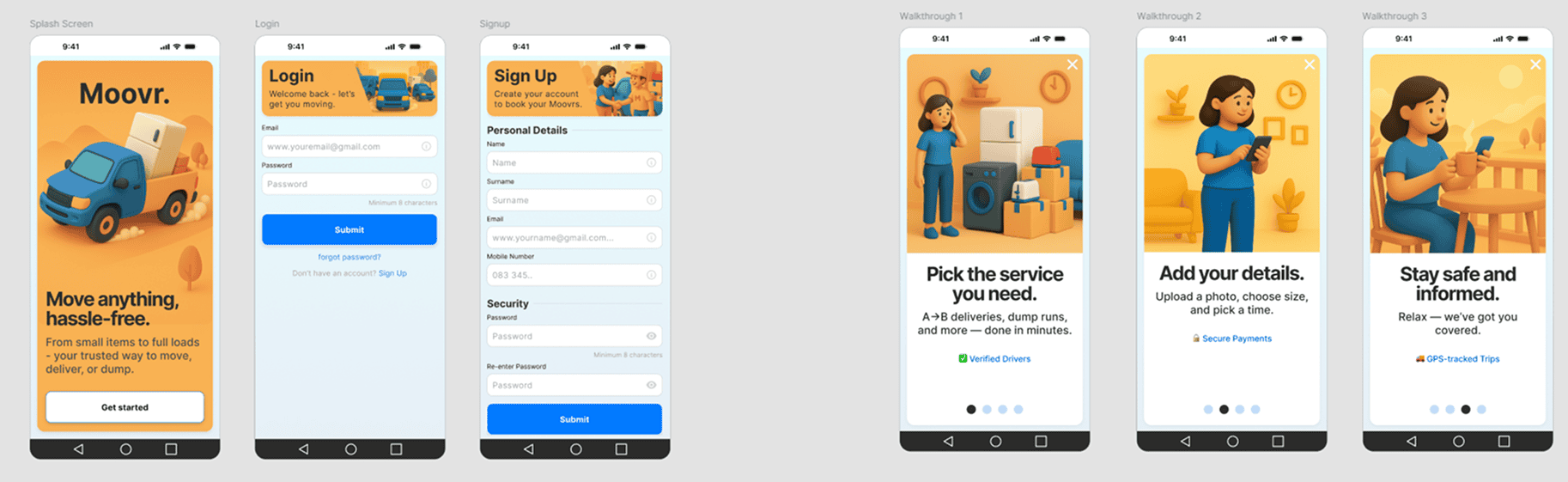
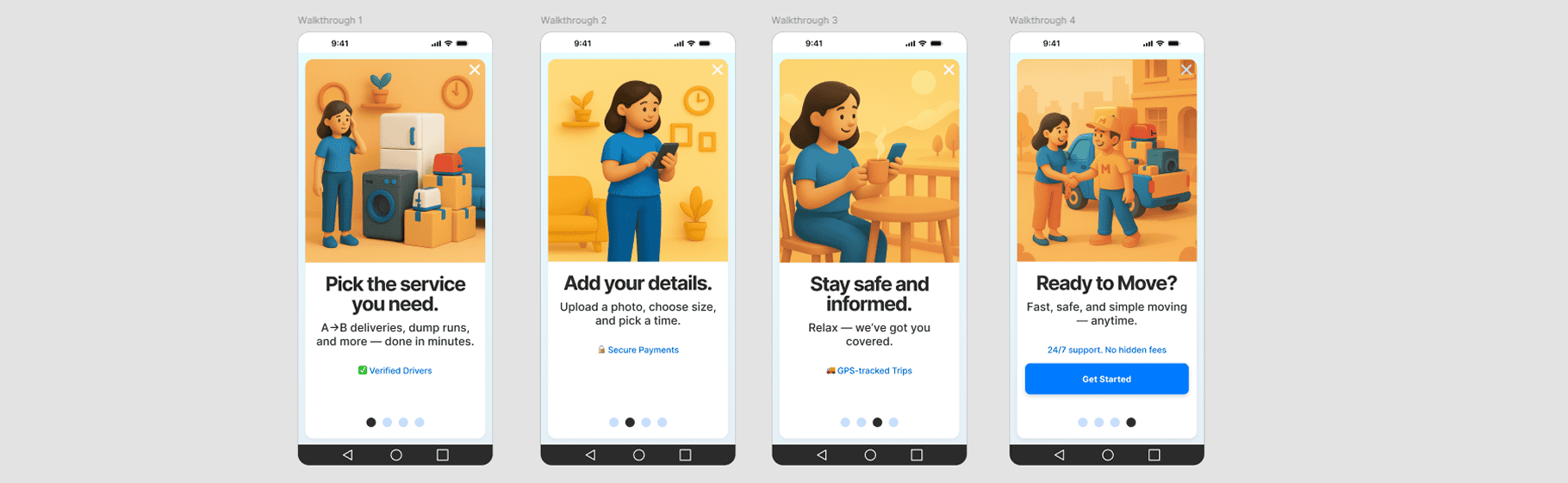
Once the flows and DS were stable, I moved into full polished UI:
Design Highlights
Smooth edge-rounded UI that matches the brand
Clear spacing and breathing room for mobile ergonomics
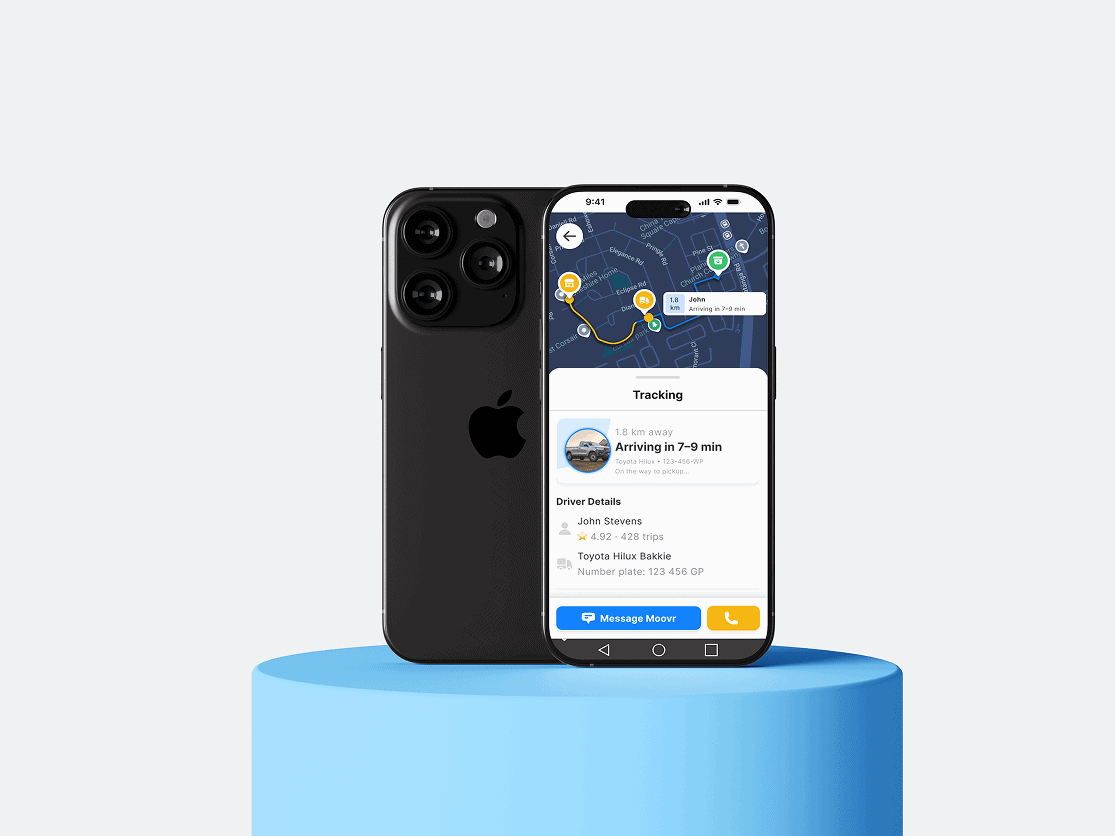
Dynamic tracking screen with vehicle path lines
Simplified booking form (short-form version created after testing)
Visual hierarchy that makes everything readable on the go
Visual states for all tracking steps (waiting → collecting → en-route → completed)
Every screen was designed with real-world South African lighting, network, and device contexts in mind.
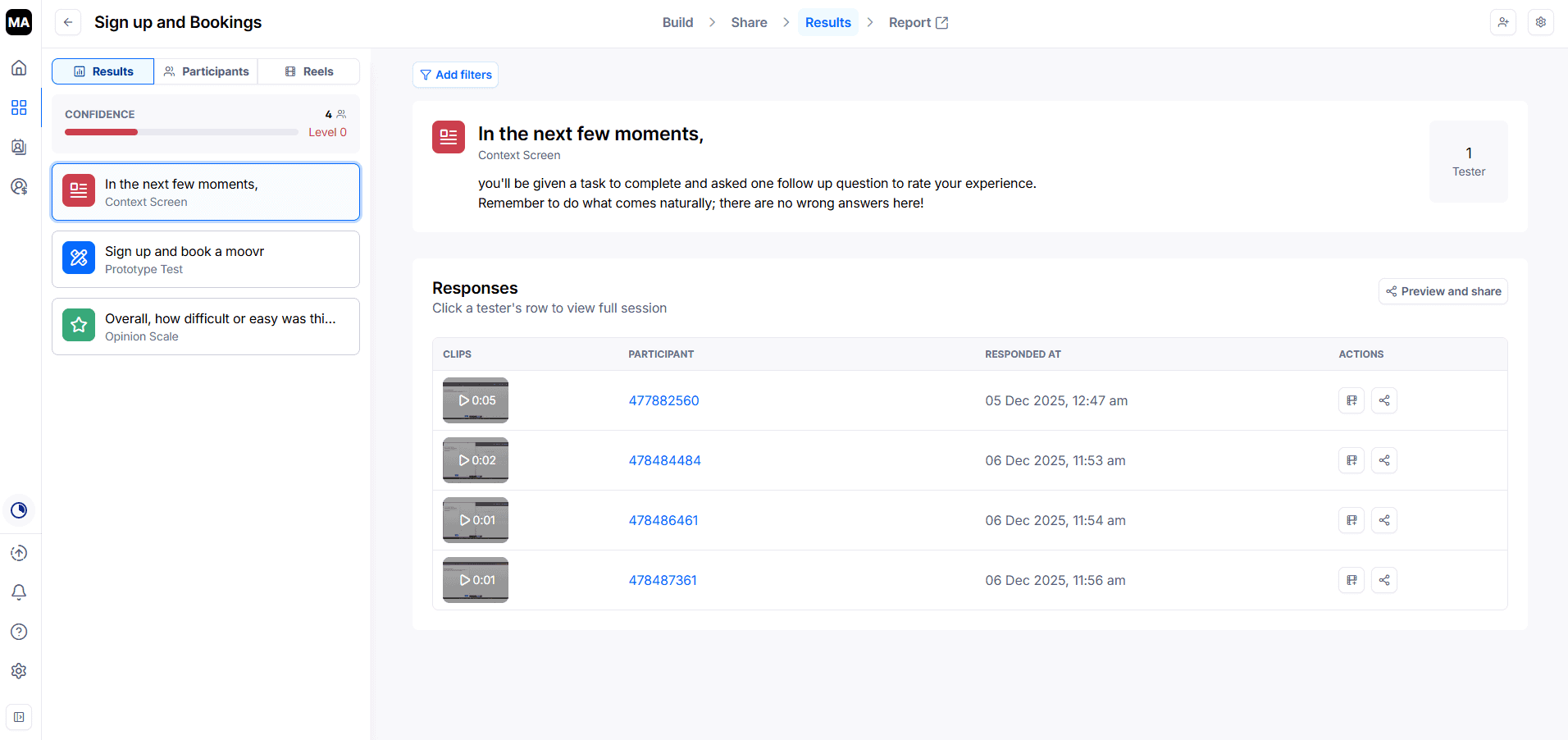
Prototypes & Testing
I built full interactive prototypes in Figma:
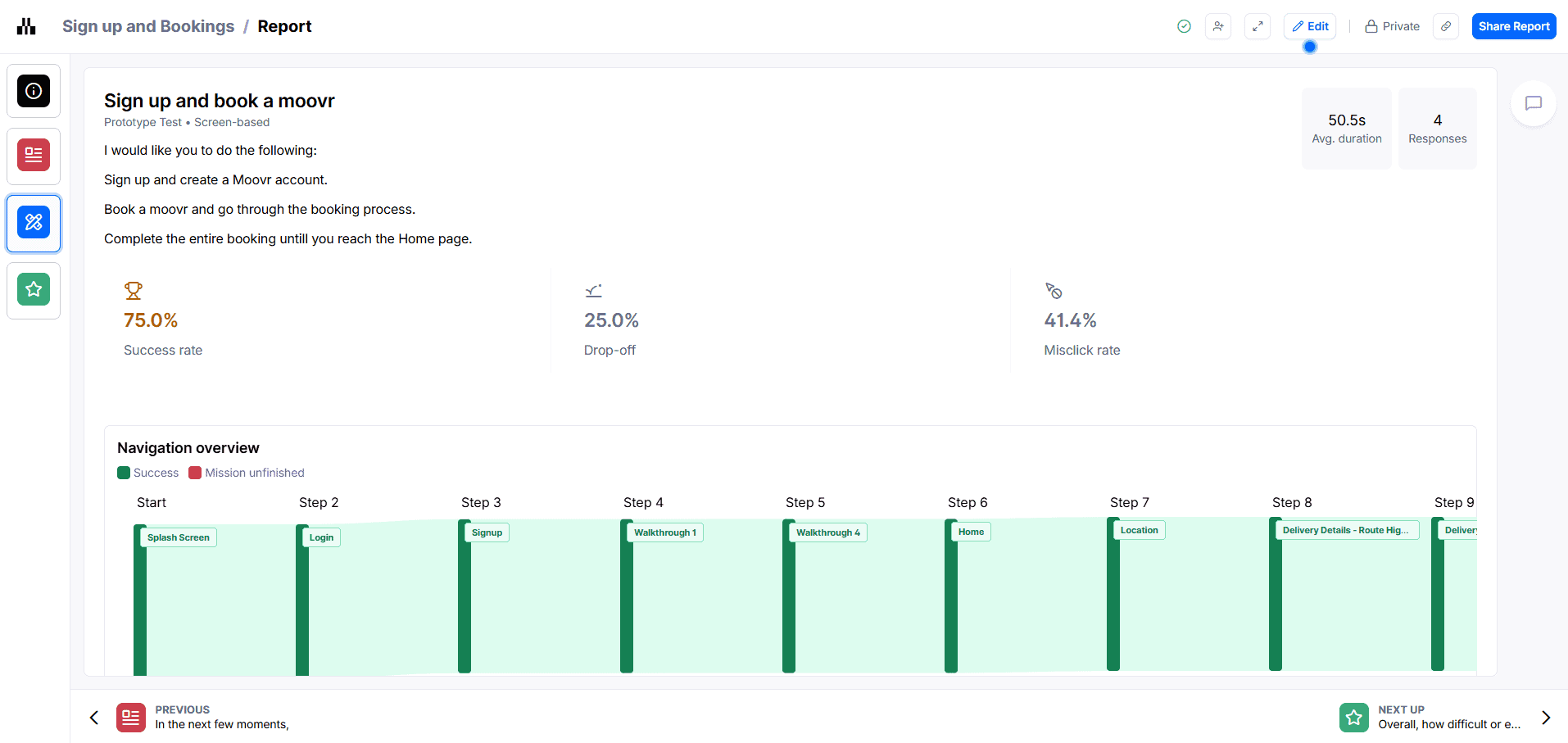
What We Tested
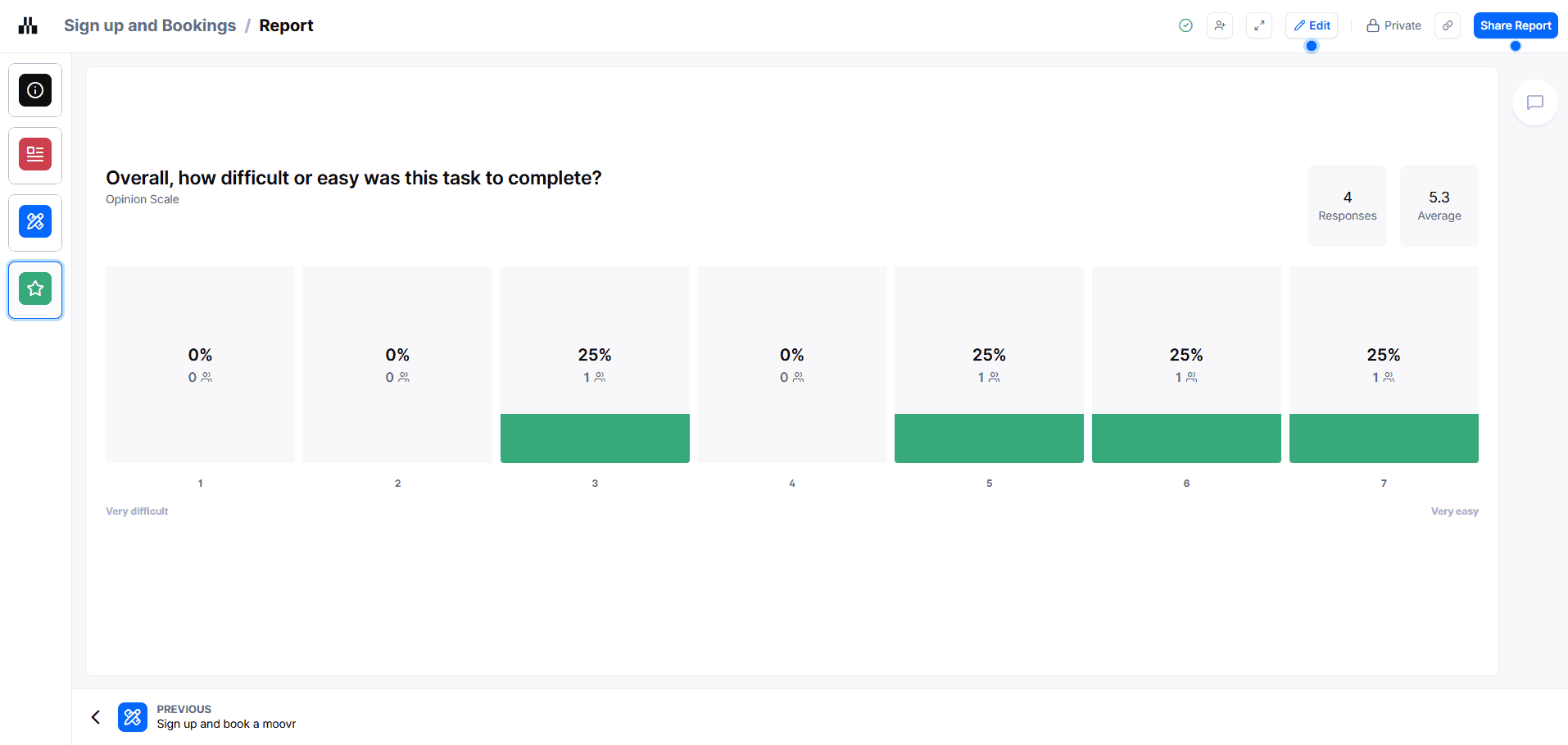
Can users complete a booking fast?
Does the tracking screen feel intuitive?
Are users confident the driver is coming?
Does real-time status communication feel transparent?
Findings
Users loved the simplified short form
Tracking clarity drastically increased trust
Icons communicating driver emotion/state added a human touch
Pricing transparency reduced hesitation to confirm a booking
Based on this, I refined flow lengths, button hierarchy, and added micro-copy for clarity.
Conclusion
The Moovr Client App is a live, evolving product. This case study captures the first major milestone: creating a clean, trustworthy, and fully-systemised mobile experience powered by a professional-grade Design System.
Next in the pipeline:
Driver App
Admin Web Dashboard
FlutterFlow implementation
Production-ready system documentation
This project showcases my ability to take a product from zero → research → flows → wireframes → DS → high-fidelity UI → prototype → test, all while building scalable systems that the rest of the platform will rely on.